
When a product launch is forty-eight hours away, the pressure on a creative team shifts from “big ideas” to “brute force execution.” You have the hero asset—a high-fidelity render or a professionally shot photograph—but now you need fifty variations. You need a 9:16 vertical for TikTok, a 1:1 square for Instagram, a punchy 16:9 for YouTube overlays, and localized versions that swap a coffee cup for a tea mug to suit different demographic targets. This article provides the details of why Speed-to-Market for Launch Assets Depends on Granular AI Editing.
In a traditional pipeline, this “variant phase” is a massive bottleneck. Every change, no matter how small, requires a designer to open a project file, adjust layers, and re-export. It is slow, expensive, and prone to human error. Performance marketers know that creative fatigue sets in fast; if an ad creative isn’t refreshed every few days, the click-through rate (CTR) predictably tanks. To solve this, product teams are moving away from static assets and toward a workflow built on granular AI editing.
The goal isn’t just to “generate an image” from a prompt. It is to take a controlled concept and iterate on it without losing the brand’s visual soul. This requires moving beyond simple text-to-image prompts and into technical precision.
The High Cost of Static Launch Creative
The primary enemy of a successful digital launch isn’t a bad product; it’s a stale message. Platforms like Meta and TikTok thrive on variety. When you serve the same image to the same audience repeatedly, the algorithm eventually stops showing it because the engagement drops. This is “creative fatigue,” and it happens faster than most product teams realize.
The fallback is often stock photography or basic filters, but these lack the hyper-relevance needed to convert niche audiences. If you are launching a SaaS tool for high-end architects, a generic stock photo of a person at a laptop feels dishonest. They want to see the product in an environment that reflects their reality.
Generating fifty bespoke environments manually is impossible for most agile teams. However, relying purely on wide-open AI generation is also risky. If you ask an AI for “a professional office,” you might get something that looks like a stock photo from 2005 or something with six-fingered workers. The missing link in most workflows is the ability to maintain consistency while scaling quantity.
Leveraging Nano Banana AI for Baseline Consistency
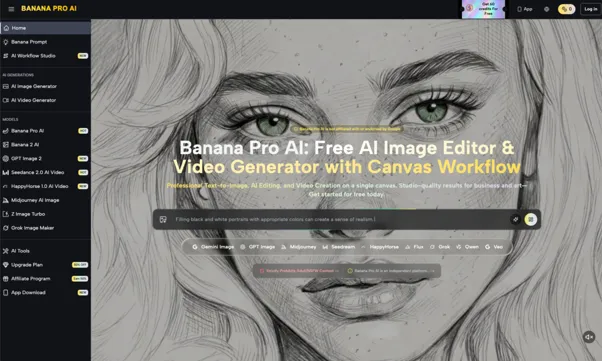
Effective asset scaling begins with a stable foundation. When product teams use Banana AI for the initial generation phase, they aren’t just looking for a pretty picture; they are looking for a baseline that can be replicated.
One of the most overlooked aspects of this stage is seed consistency. If you generate a high-resolution product backdrop for a hardware launch, you need the lighting and the color palette to remain stable across different environments. By locking in specific parameters within the model, teams can generate a “living room” setting, a “modern office” setting, and a “minimalist studio” setting that all feel like they were shot on the same day by the same photographer.
This is the distinction between creative exploration and production-ready generation. In exploration, you want surprises. In production, surprises are expensive. Using a model like Nano Banana allows a marketer to define the “vibe” once and then generate the dozens of environmental permutations required for a multi-channel campaign.
Precision Workflows with the AI Image Editor
Once the baseline assets are generated, the focus shifts to surgical refinement. This is where most generic AI tools fail. A marketing team cannot afford to regenerate an entire image just because a shadow looks slightly off or a plant in the background is distracting.
Using a dedicated AI Image Editor allows for localized control. For example, the “hallucination” problem—where AI adds nonsensical details to a scene—is a common launch-day disaster. If a generated background has a clock with thirteen numbers, you don’t throw away the whole image. You use an in-painting tool to “brush out” the clock and replace it with a clean wall.
Another practical application is out-painting for format adaptation. A product shot captured in a 4:5 aspect ratio for an Instagram feed often needs to be expanded into a 9:16 format for Stories. Instead of just cropping and losing detail, marketers use the editor to “grow” the top and bottom of the image, maintaining the lighting and texture of the original shot. This ensures that the product remains the focus while the asset fills the entire screen of the user’s phone.
Avoiding Generative Drift in A/B Variations
A common pitfall in AI-driven marketing is “visual drift.” This occurs when you take an AI-generated image and use it as a prompt for a second iteration, then use that second one for a third, and so on. By the fourth or fifth variant, the brand’s core aesthetic has often dissolved into a muddy, over-processed look.
To combat this, professional teams rely on image-to-image workflows rather than recursive prompting. If you have an approved hero asset of a new beverage can, and you need to show it in the hands of different demographics, you don’t ask the AI to “make a new version.” You use a tool like Nano Banana Pro to lock the product’s geometry and then only swap out the “subject” or “background” layers.
This technique is essential for A/B testing. If you want to know if your product sells better when shown in a kitchen vs. a backyard, the product itself must look identical in both shots. If the label on the can changes slightly between the two ads, your test results are tainted. The Nano Banana model family excels at this type of constrained iteration, allowing the “fixed” elements of the brand to remain untouched while the “variable” elements are tested.
Critical Thresholds: Where AI Creative Pipelines Break
Despite the speed and power of these tools, there are clear limits that every product lead must acknowledge. AI is not a “set and forget” solution for brand-sensitive assets.
First, there is the typography hurdle. While models are improving, most still struggle with specific, complex brand fonts and logos. If your brand uses a custom-kerneled serif font, do not expect an AI Photo Editor to render it perfectly within a generated scene. The current best practice is to generate the scene without text and then layer your brand’s actual vector assets over the top using a traditional design tool or a canvas-based AI workflow.
Second, there is the “uncanny valley” of trust. In performance marketing, trust is everything. If a potential customer senses that an image is “too AI”—meaning it has that overly smooth, plastic skin texture or physics-defying shadows—they will keep scrolling. Human judgment is required to spot these subtle red flags. An AI-only pipeline often produces visuals that look great in a gallery but fail as advertisements because they lack the “groundedness” of a real photo.
Finally, legal and brand compliance remains a human-led task. AI does not know if a generated background accidentally includes a trademarked architectural feature or a competitor’s likeness. Every asset shipped in a high-stakes launch still requires a human eye for the final 5% of the work.
Implementing a Refine-First Strategy
To actually move faster, teams have to shift their mindset from “using AI to make images” to “using AI to edit outcomes.” The most successful product teams we see don’t spend hours writing the “perfect” prompt. Instead, they get a “good enough” generation in thirty seconds and spend the next ten minutes refining it.
A repeatable workflow for a typical ad set looks like this:
- Initial Generation: Use a model like Nano Banana to create the core environmental concept.
- Structural Lockdown: Fix the perspective and lighting using image-to-image controls to match the actual physical product.
- Localized Editing: Use an AI Photo Editor to remove distractions, fix “AI hands,” and ensure the background doesn’t compete with the product for attention.
- Variant Scaling: Use the canvas to out-paint the image into multiple aspect ratios (1:1, 9:16, 16:9).
- Final Retouching: Layer on the high-resolution logo and copy in a non-generative environment to ensure crispness.
This “Refine-First” strategy can reduce the time-to-ship for a complete ad set from three days to under two hours. In the world of performance marketing, that time isn’t just a convenience—it’s the difference between catching a trend and missing it entirely. Those who master the granular controls of tools like the AI Image Editor will always outpace those who are simply waiting for the “perfect” prompt to solve their problems. Launch Assets depend on Granular AI Editing.